You can use the mouse to interactively choose the direction from which to view the volume (i.e. rotate the volume in front of you). You can also use a clipping plane to slice through the volume along an arbitrary axis: At the intersection between the plane and the volume cube, a cross-section of the volume is rendered.
The clipping plane is symbolised by a red quad. For better orientation, a cube surrounding the volume is drawn as well.
You can move the clipping plane by clicking into the scene with the left mouse button while keeping the Control key down, and moving the mouse while keeping the button pressed ("dragging"). The "upward" and "downward" parts of the mouse motion will be used to move the plane "left" or "right" (depending on its orientation). Similarly, holding down the Alt button (also referred to as "Option buttion) while dragging will rotate the plane.
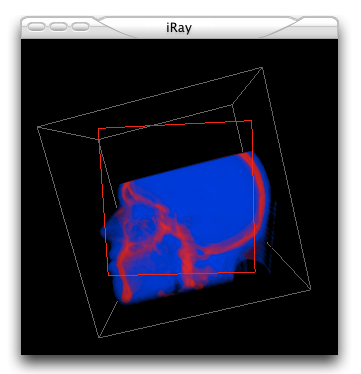
iRay in volume rendering mode.